 Alex Morgan
Why table tennis suits a phone
Most sports games struggle on a phone because the playing area is larger than the screen, which forces either a moving camera or a view so zoomed out that nothing is legible. Table tennis has neither problem.
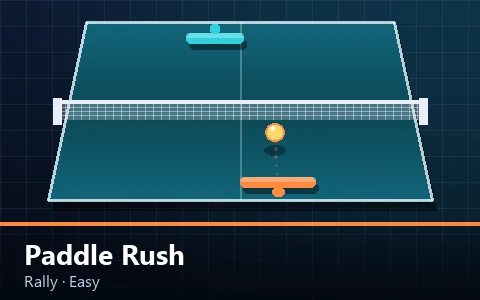
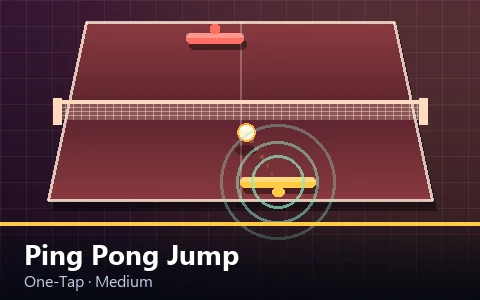
The entire table fits comfortably in a portrait phone screen at a readable size, because its proportions — longer than it is wide — match a phone's. There is no camera to manage, nothing off screen, and no information hidden from the player.
The input suits it too. A paddle moves along one axis, which maps naturally onto a drag gesture or two large buttons. Compare that to a game needing a virtual stick and three action buttons on a five-inch screen.
Two control schemes, both always available
Every game on this site offers both drag control and on-screen buttons at the same time, and the player can switch between them mid-rally without any mode change.
Dragging works anywhere on the table. Putting your thumb down and moving it slides the paddle, still limited by the paddle's own speed so a fast swipe cannot teleport the blade across the table. It is the more direct of the two and most players prefer it.
The buttons sit in their own strip beneath the playfield — never over it. That is a deliberate rule: nothing on this site draws a control on top of the ball, and nothing places an interactive element where a mis-tap could hit something else.
Which scheme is better depends on the game. Drag suits positional games where you want continuous control. Buttons suit the timing games, where a single large target is easier to hit precisely than a gesture.
How touch controls are built
The pad layout changes per game rather than being one universal set, because a serving game and a two-player match need different things.
| Layout | Buttons | Used by |
|---|---|---|
| Paddle | Left, right, hit | Rally, target and collection games |
| Smash | Left, right, smash | Match and precision games with a power shot |
| Single | One large button | One-tap timing games |
| Aim | Aim left, aim right, serve | Serving and cannon games |
| Versus | Two tinted pairs, one per player | Local two-player matches |
Every button is at least sixty-two pixels tall, carries an accessible name, responds to keyboard activation as well as touch, and releases cleanly when your finger slides off it. That last detail prevents the most common touch bug in browser games, where a button stays stuck down because the release event fired somewhere else.
All of them use pointer events rather than separate touch and mouse handlers, which is what makes the same code work identically with a finger, a stylus and a mouse.
Which games work best on a small screen
All thirty work, but they do not all suit a phone equally, and it is worth being specific rather than claiming otherwise.
| Very good on a phone | Better on a tablet | Best with a keyboard |
|---|---|---|
| One-Tap Ping Pong | Paddle Attack (2P) | Corner Smash |
| Paddle Rush | Pixel Ping Pong (2P) | Spin Master |
| Reflex Rally | Falling Ball Frenzy | Speed Serve |
| Rally Master | Ping Pong Arcade Ultimate | Paddle Cannon |
| Ping Pong Jump | Underwater Ping Pong (2P) | Precision Paddle |
The pattern is that games needing fine placement are easier with keys, because a keyboard gives discrete, repeatable input while a drag gives continuous but approximate input. Games needing reaction or timing are equally good or better on touch, because a thumb on glass is more direct than a key.
Two-player games need a tablet in landscape. Two sets of thumbs on a phone-width table is crowded enough that the keyboard version is more comfortable if one is available.
What changes about playing well
Mobile play is not simply desktop play on a smaller screen. Three things genuinely differ.
The first is that drag control is absolute rather than relative. Your thumb's position corresponds to a position on the table, so large corrections are quicker than on a keyboard — but small ones are harder, because a thumb covers several units of table.
The second is that your hand covers part of the screen. On a phone the bottom portion of the table is under your thumb, which is exactly where your own paddle is. Most players adapt by dragging from slightly higher up the table than feels natural.
The third is that reading depth is harder on a small screen, because the gap between the ball and its shadow is physically smaller. That makes the shadow-watching habit more important on mobile rather than less.
Editor’s note
On a phone, drag from the middle of the table rather than the bottom. Your paddle still goes where your thumb is, and you stop covering the part of the table you need to see.
Orientation
Portrait is the default and works well, because the table's proportions match the screen's. The whole playfield is visible with room for the HUD above and the control strip below.
Landscape works too, and the layout adapts: the header becomes non-sticky, the stage caps its height to seventy-eight per cent of the viewport, and the descriptive copy above the game is hidden so the playfield takes the available space.
For two-player games landscape on a tablet is the right configuration and the only one we would actively recommend. For everything else, portrait on a phone is generally more comfortable.
Performance on modest hardware
A browser game on a mid-range phone is competing with everything else the device is doing, and several decisions in the engine exist specifically for that case.
The canvas is sized to the element box times the device pixel ratio, capped at two. Beyond that cap the extra sharpness is imperceptible while the number of pixels to fill grows with the square, which is the single largest performance lever on a phone with a high-density screen.
The simulation runs at a fixed 120 steps per second and renders once per frame, so a device that can only manage thirty frames a second still gets identical physics — the game is choppier but not easier or harder. That is why the multi-ball game plays the same on a phone as on a desktop.
Particles are pooled and capped, and the pool shrinks substantially when the system's reduced-motion preference is set. Nothing is allocated during play, so there are no garbage-collection pauses mid-rally.
Battery, data and offline
A game page here is a few tens of kilobytes of text — HTML, CSS and JavaScript — with no images, no audio files and no third-party requests. On a mobile connection it loads in about the time it takes to read the title.
The loop stops entirely when the tab is hidden or the screen locks, so a game left open in a background tab uses no measurable battery. It also pauses itself and shows a pause screen, so nothing is lost.
There is no offline mode. The site is deliberately simple and does not register a service worker, so a page that has not been visited will not load without a connection. A previously loaded page may be served from the browser's ordinary HTTP cache, but that is the browser's behaviour rather than a feature this site provides.
Practical mobile tips
A short list of things that measurably help on a phone.
- Drag from the middle of the table, not the bottom, so your hand stops covering your own paddle.
- Use the buttons for timing games and drag for positional ones — the strengths are genuinely different.
- Watch the shadow. Depth is harder to read on a small screen, which makes the shadow more important rather than less.
- Turn the phone to landscape for the flagship stage games, where the extra width helps.
- Use a tablet in landscape for two-player, and a keyboard if one is available.
- If the game feels choppy, close other tabs before assuming it is the game — a browser game shares the device with everything else.
Key takeaways
- A ping pong table fits a phone screen without a moving camera, which is rare among sports playfields.
- Drag and buttons are both always available, and the buttons sit below the playfield rather than over it.
- Five pad layouts exist because a serving game and a two-player match need different controls.
- Games needing fine placement are easier with a keyboard; timing and reaction games are equally good or better on touch.
- Drag from the middle of the table so your hand stops covering your own paddle.
- The device pixel ratio is capped at two, which is the single largest performance lever on a high-density phone.
Frequently asked questions
Do all the games work on a phone?
Yes, all thirty. Each has touch controls, the playfield scales to the screen width, and there is no horizontal scrolling at any size down to 320 pixels.
Is drag or are buttons better?
It depends on the game. Drag is more direct for positional play; buttons give a single large, repeatable target that suits timing games. Both are always available and you can switch mid-rally.
Can two people play on one phone?
Technically yes, but a tablet in landscape is much better. Two sets of thumbs on a phone-width table is crowded, and the keyboard version is more comfortable if one is available.
Do the games work offline?
No. There is no service worker and no offline mode. A previously loaded page may come from the browser's ordinary cache, but that is the browser's behaviour rather than a feature of this site.
Will playing drain my battery?
Very little, and nothing at all when the tab is hidden — the loop stops entirely and the game pauses itself, so a game left open in the background uses no measurable power.
Why is depth harder to judge on a phone?
The cue is the gap between the ball and its shadow, and on a smaller screen that gap is physically smaller. Watching the shadow deliberately matters more on mobile, not less.